
EasyPreps
A mobile app that gamifies meal-prepping and uses AI to reduce decision fatigue for burned-out professionals.
From pantry scanning to AI-powered meal playlists, EasyPreps removes the mental friction that stops busy people from cooking.
Overview
Duration: Jun 2024 (4 weeks)
Role: End-to-end product design (research, strategy, design, testing)
Organization: Springboard
Context: Self-directed capstone project
-
Most meal-prep apps focus on organization—recipe databases, grocery lists, and calendars. But organization doesn't solve the real problem: busy people lack the mental energy and motivation to actually cook. Existing solutions assume users are already motivated. They don't address the psychological friction that makes meal-prepping feel overwhelming on an exhausting weeknight. My question: How might we design an experience that reduces decision fatigue and sustains motivation, not just organizes tasks?
-
Description text goes here
-
Description text goes here

Secondary Research
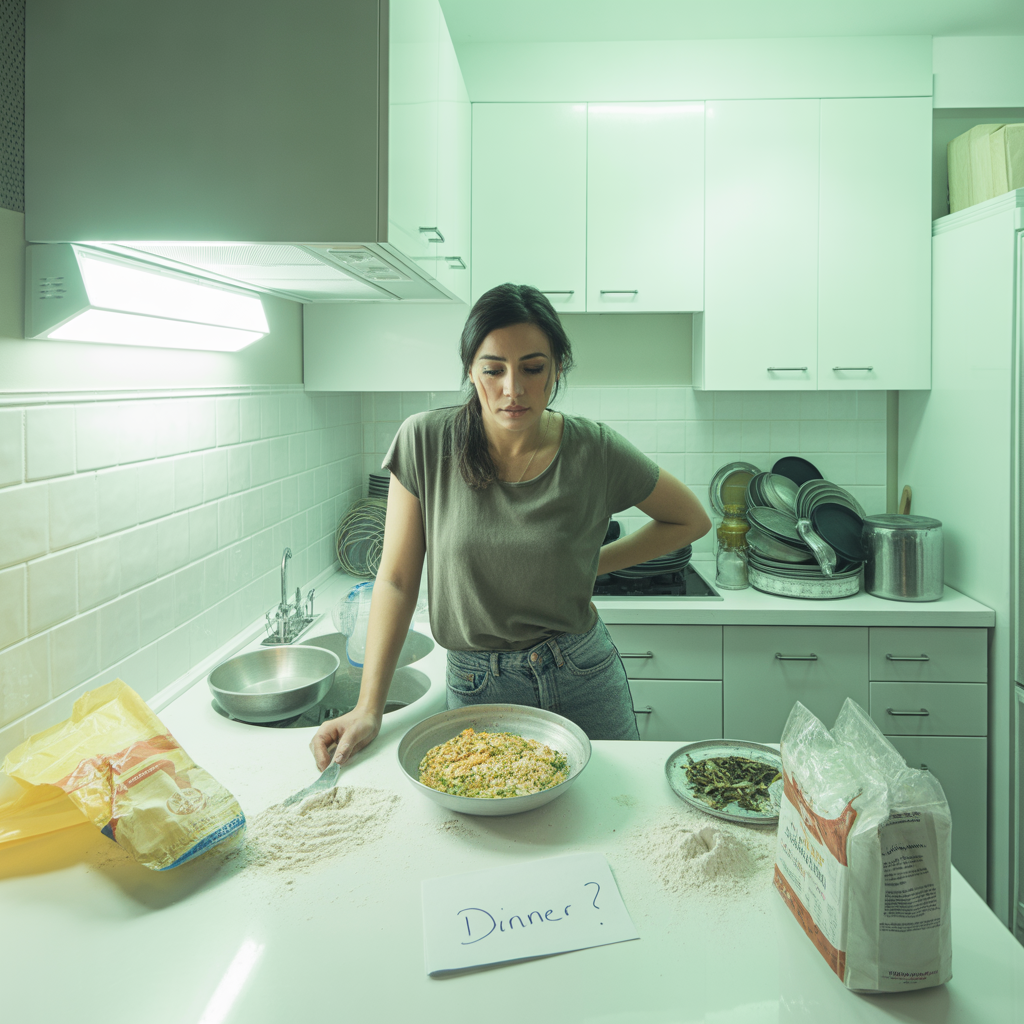
Why We’re Always Too Tired to Meal Prep
Time Crunch & Its Consequences
39% of US adults and 52% of 18-34 year-olds lack the time to cook, leading to increased takeout, stress, guilt, burnout, and decision fatigue.
YouGov reports that 53% of people cite time as their primary concern when it comes to meal planning.
The main issue isn’t just time but mental stress. People need meal-prep tools that keep them focused, help them decide faster, and support their daily habits.


Weaknesses
Strengths
Intelligent recipe suggestions
Automated grocery list generation
Advanced diet-specific filtering
Cater primarily to already motivated users.
Lack features to engage and energize those struggling with consistency.
Absence of gamification, reward systems, or mood-based suggestions.

Opportunity
Create a tool that organizes meal planning and motivates users to create and maintain their routine, tackling fatigue and disengagement.
Primary Research
Finding the Right Preppers: Screener Survey
To understand meal-prep habits better, I created a screener survey to find the right people to talk to.
Ideal Participants
Adults (25–45)
Working professionals or students
Wants to cook healthy food at least 2–3 times a week
Tried meal-prepping but struggled/ failed with it
Wanting to make their meal prepping process more effective
Lack of motivation and guidance for meal prep

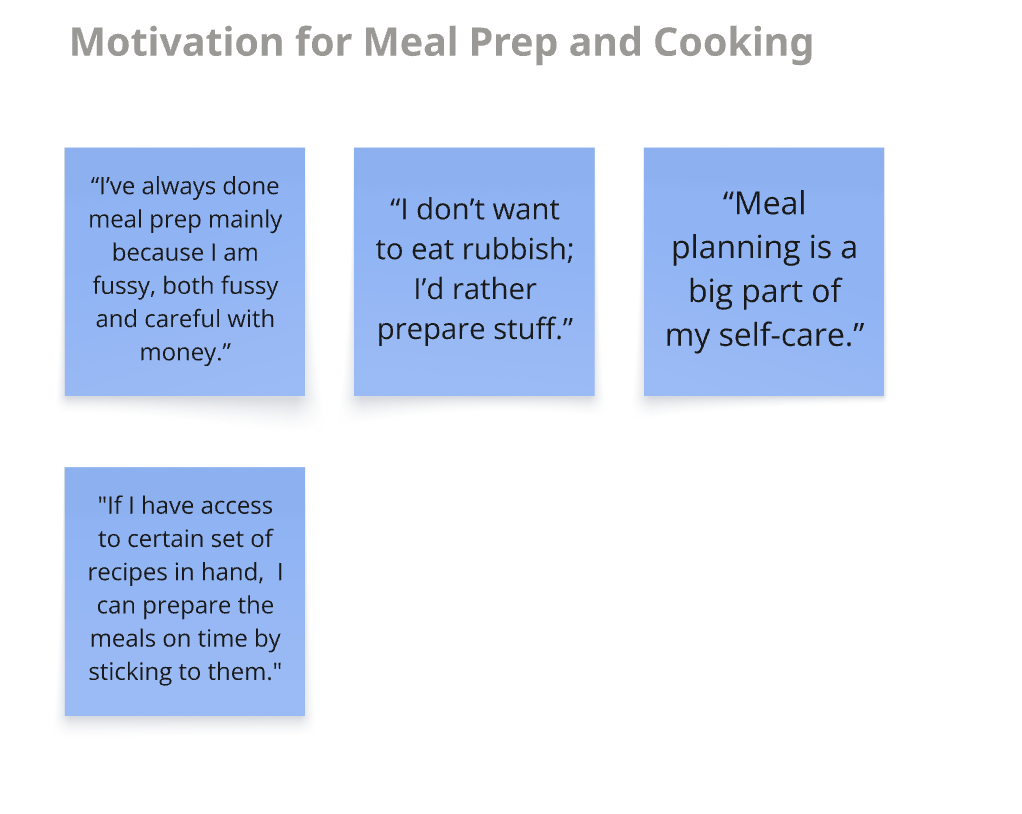
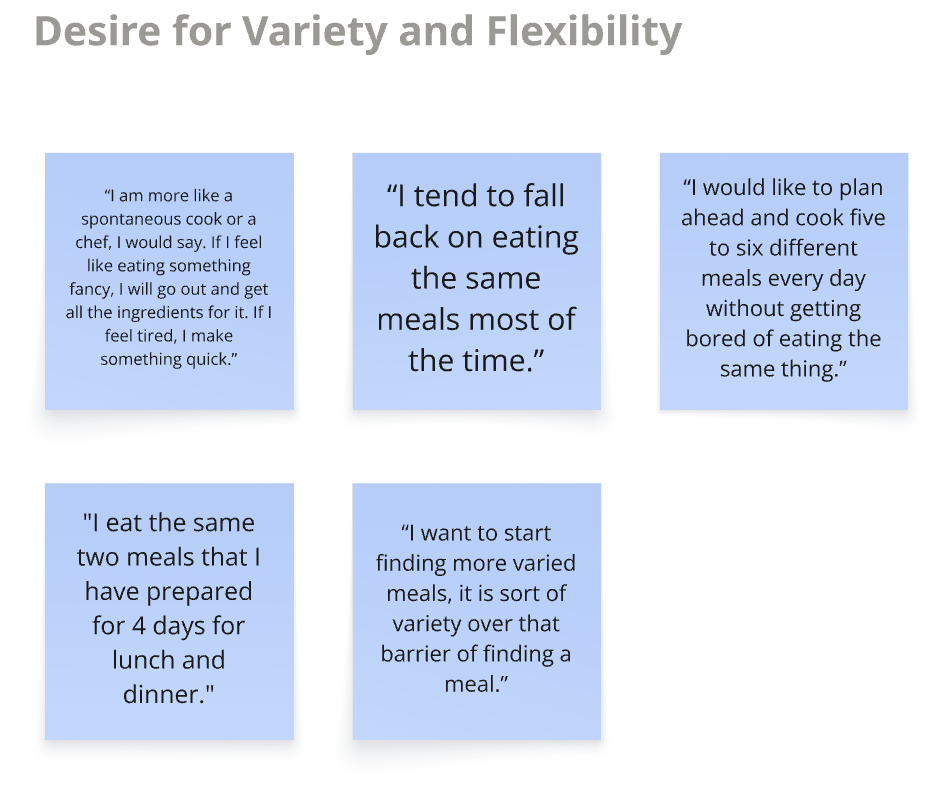

Even cooking enthusiasts often quit meal prep due to limited time, energy, or tools. They want plans that are flexible and enjoyable. EasyPreps must provide more than lists and calendars to keep them motivated.
“What’s Really Cooking?”: User Research Interviews
I interviewed 4 busy individuals with varying schedules, parents, professionals, and students. Each person had different goals, but all shared similar frustrations around meal-prepping.
Affinity Mapping
To understand the data I collected, I used affinity mapping to group insights from interviews and research to form 6 themes. This showed patterns and behaviors that weren’t clear before.
Meal prepping feels like self-care, but a chore when burnt out.
Some plan; others cook spontaneously, seeking flexibility.
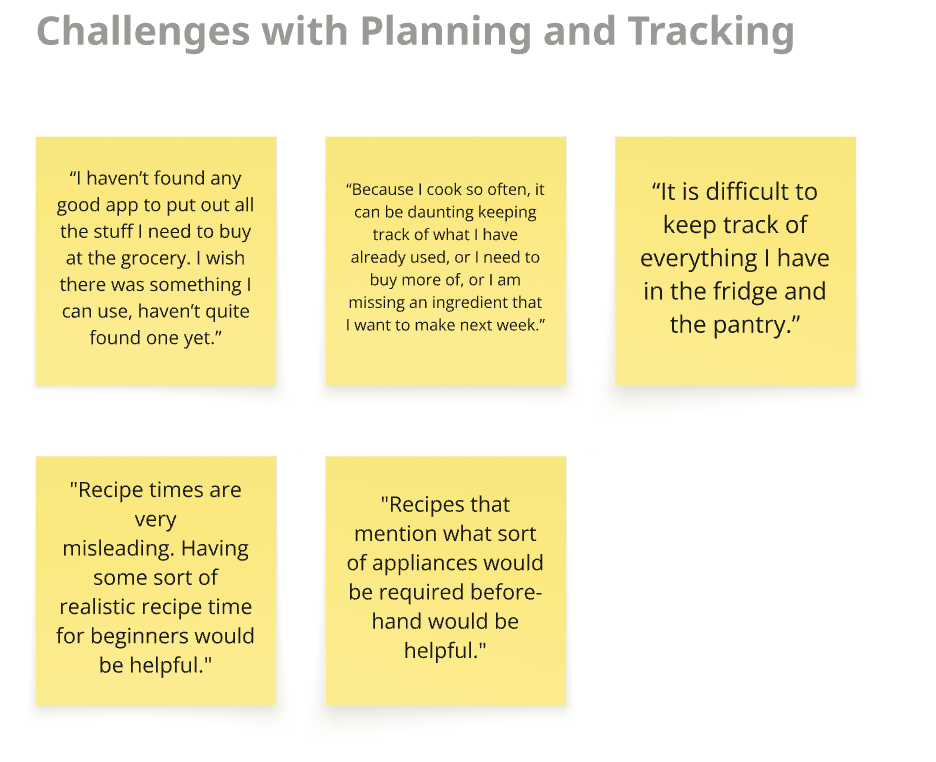
Rely on memory or pen and paper for tracking groceries.
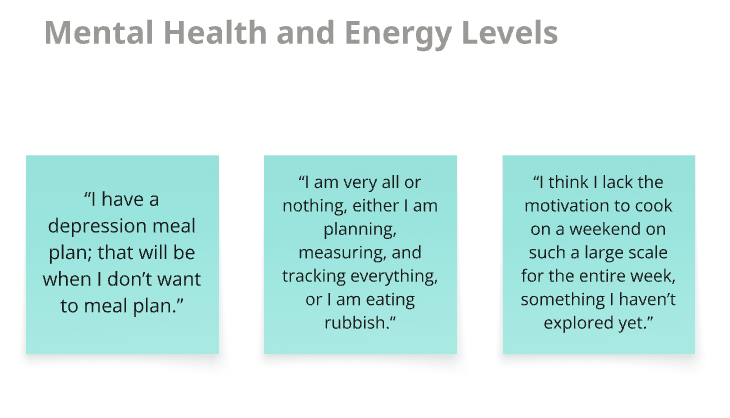
Clearer structure and mood nudges can ease planning.
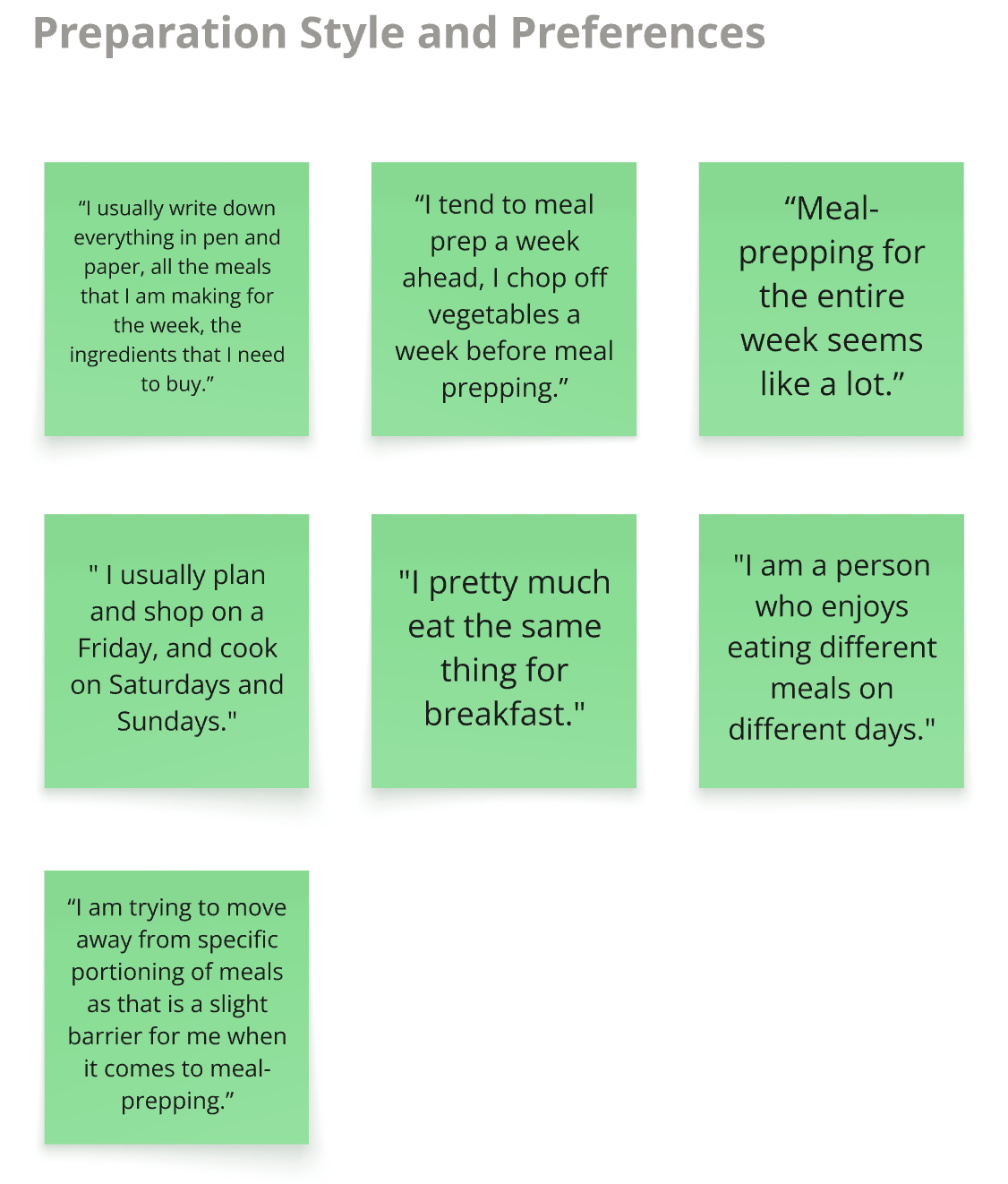
Users often fall into repetitive meals, even when they want more variety.
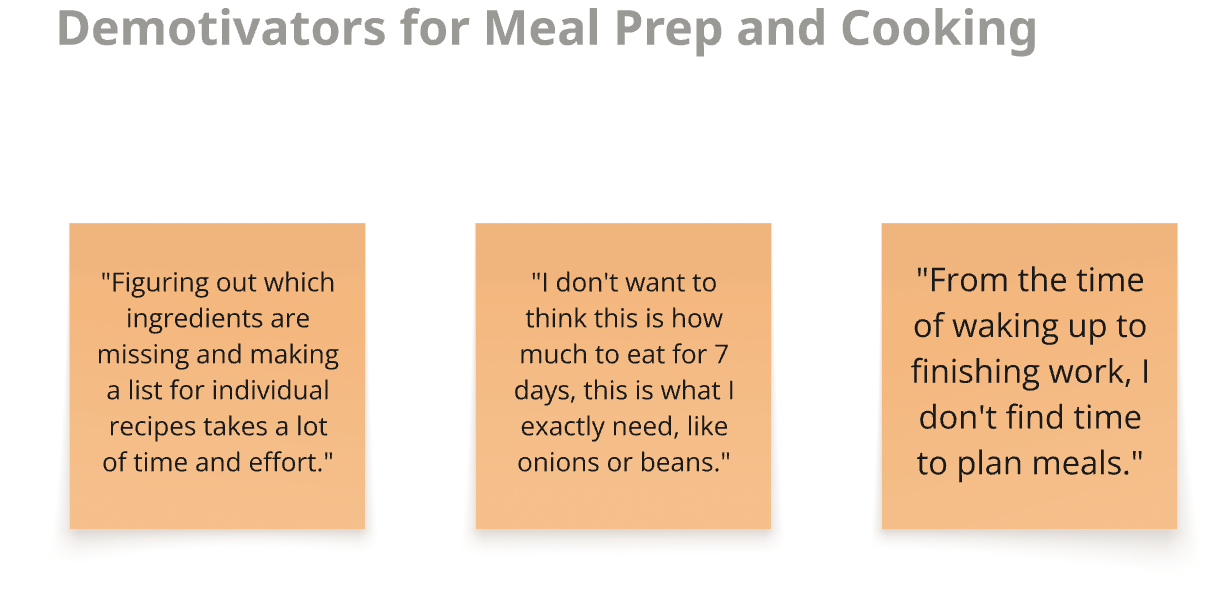
A lack of structure or visibility often breaks their cooking routine mid-week.
User Personas
I created 2 user personas to represent the real people behind the pain points.
Alex Rivera

Age: 30
Lifestyle: Cooking, crafts, maintaining routine
Motivation: Meal-prepping for diet control and routine.
Pain Points:
Manual pantry and fridge tracking is tedious.
Current apps miss accurate inventory and meal history.
Need: An automated system to track ingredients, cut manual grocery entries, and simplify shopping lists.
Age: 29
Lifestyle: Busy weekdays, often relies on takeout due to fatigue.
Motivation: Craves variety in meals.
Pain Point: Struggles to find time and motivation to cook on weekends because of social events.
Need: Fast, simple, and diverse home meals all week with little prep.
Malik Johnson

How Might We’s
To turn user pain points into actionable design opportunities, I framed “How Might We” questions.

Motivation & Efficiency
How might we help users stay motivated and prep meals efficiently without the overwhelm of:
Preparing grocery lists?
Experiencing cooking fatigue?

Pantry Management
How might we empower users to effortlessly track pantry items while simplifying their shopping experience?

Personalization & Enjoyment
How might we create a personalized and enjoyable meal planning journey that adapts to individual preferences and promotes consistent engagement?
Solution Ideation
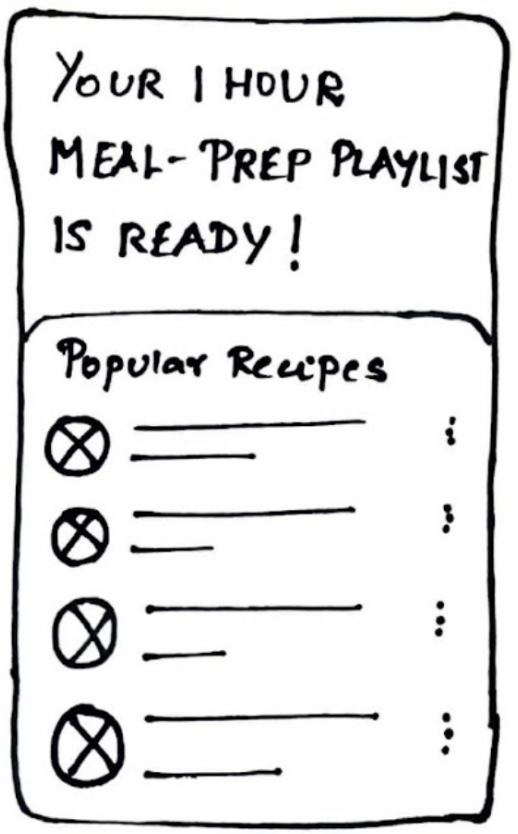
AI-Generated Meal Playlists
AI meal playlists, like Spotify, offering personalized recipe suggestions to inspire meal-prepping.
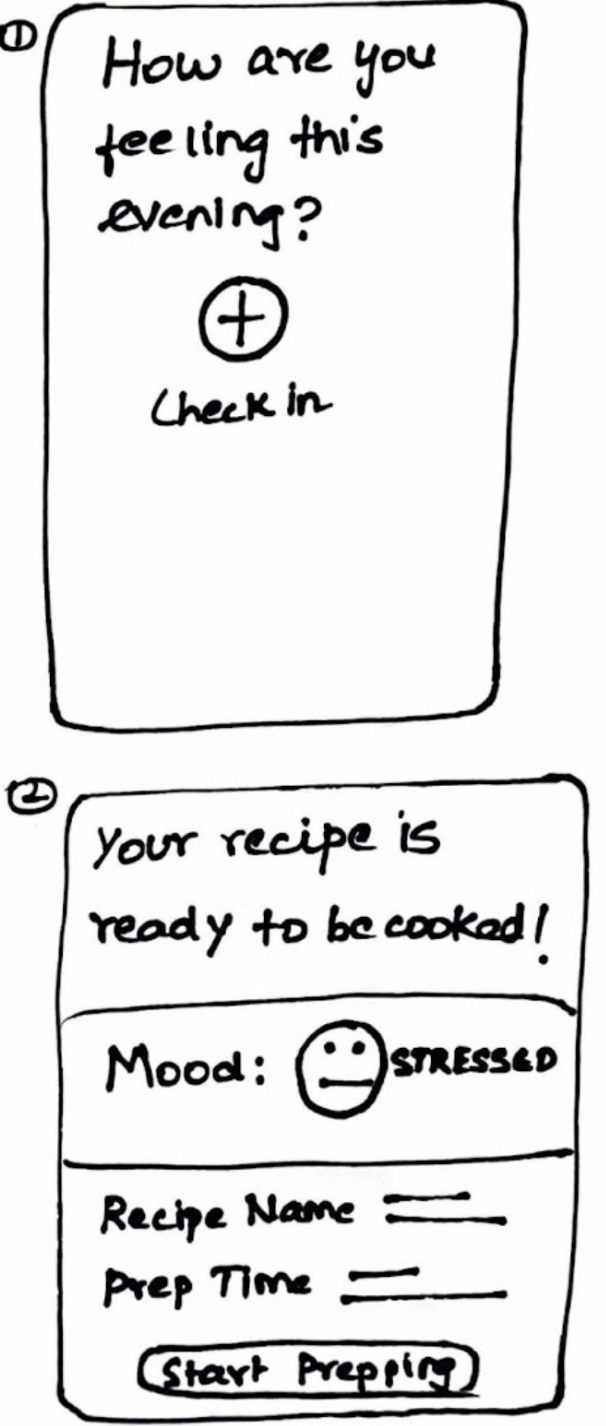
Mood-Based Recipes
Recipe suggestions tailored to user's mood and energy levels to make meal-prepping feel less like a chore.
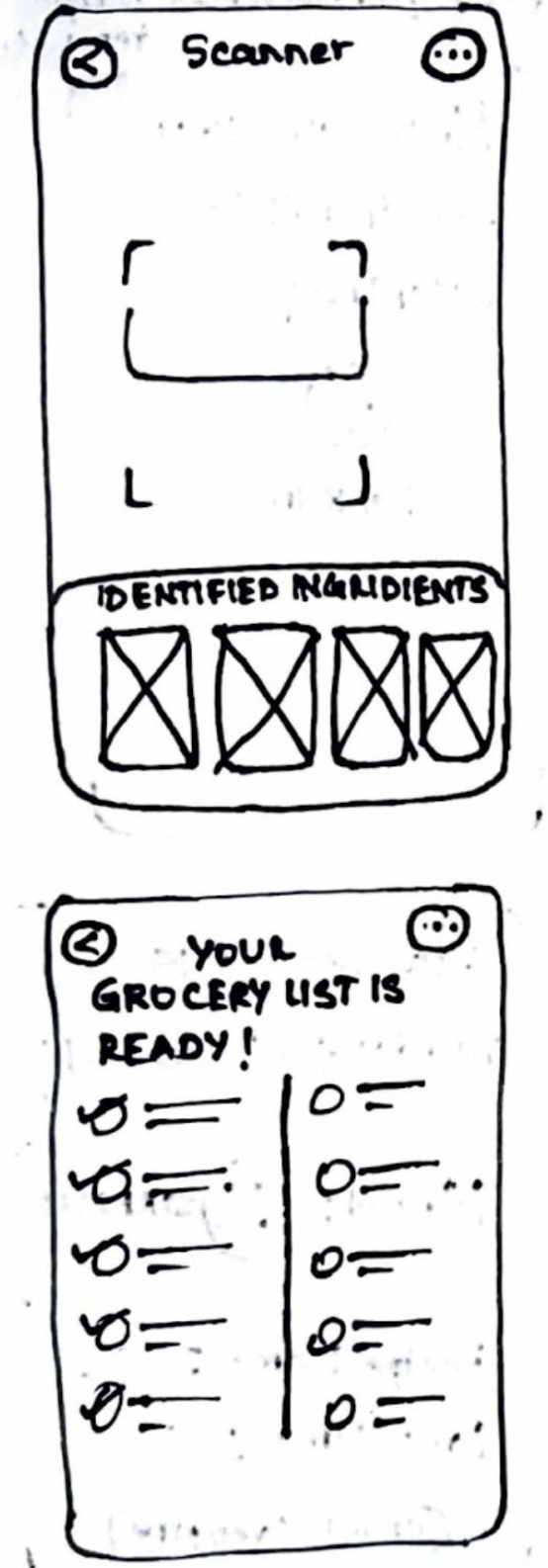
Pantry Scan for Auto-Lists
Smart pantry scanner that generates grocery lists for selected recipes, reducing manual effort.
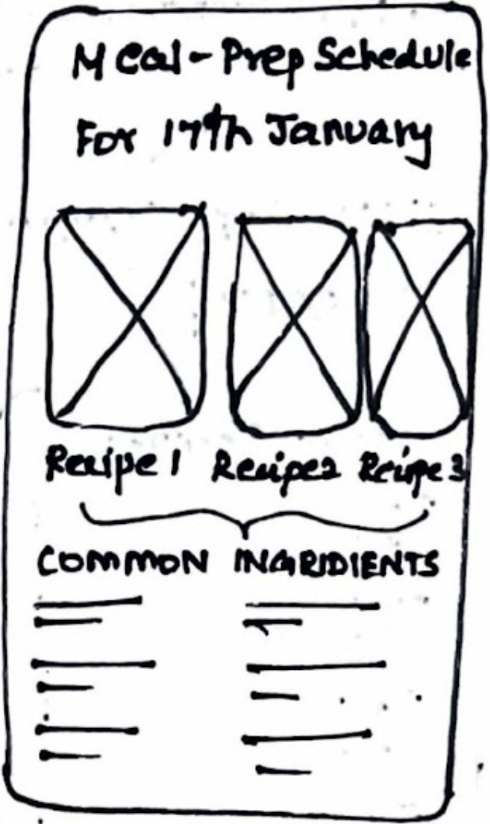
Smart Ingredient Deduplication
Eliminates duplicate ingredients across recipes and streamlining shopping.
Key User Flows
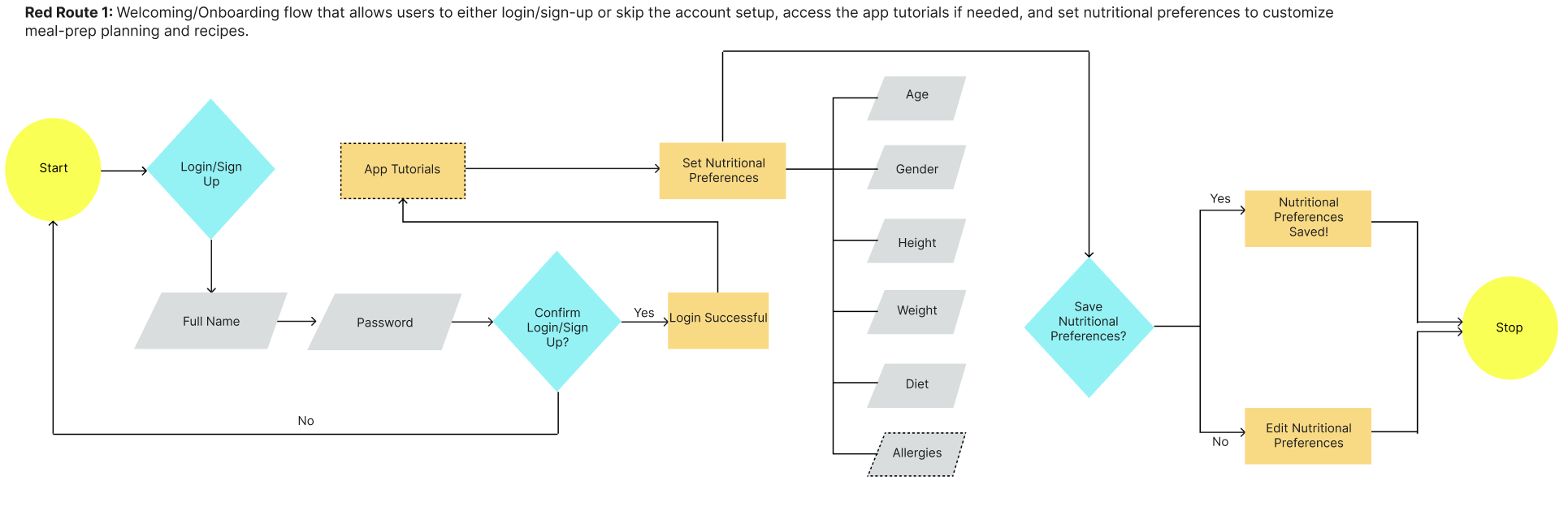
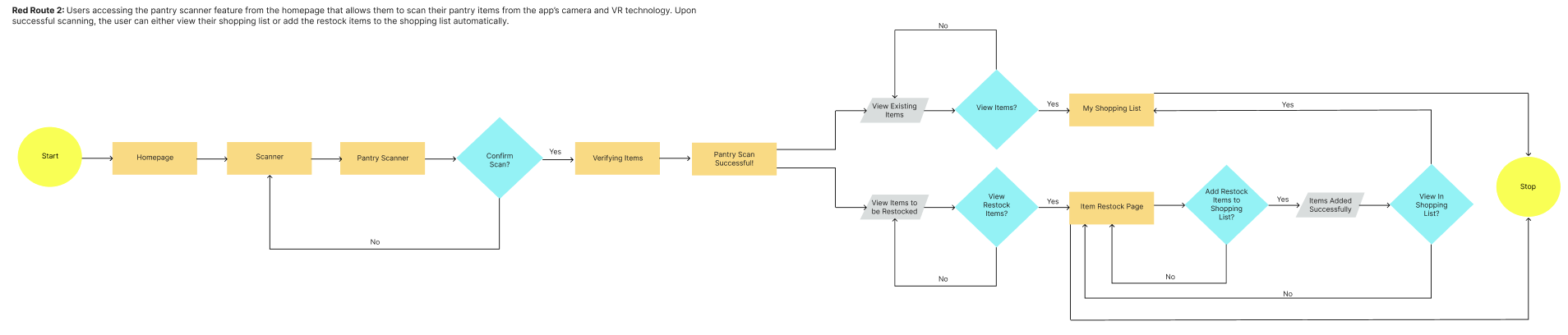
I created user flows for 2 of the above sketches- onboarding, pantry scanning, and automatic shopping lists.
Design
Wireframes
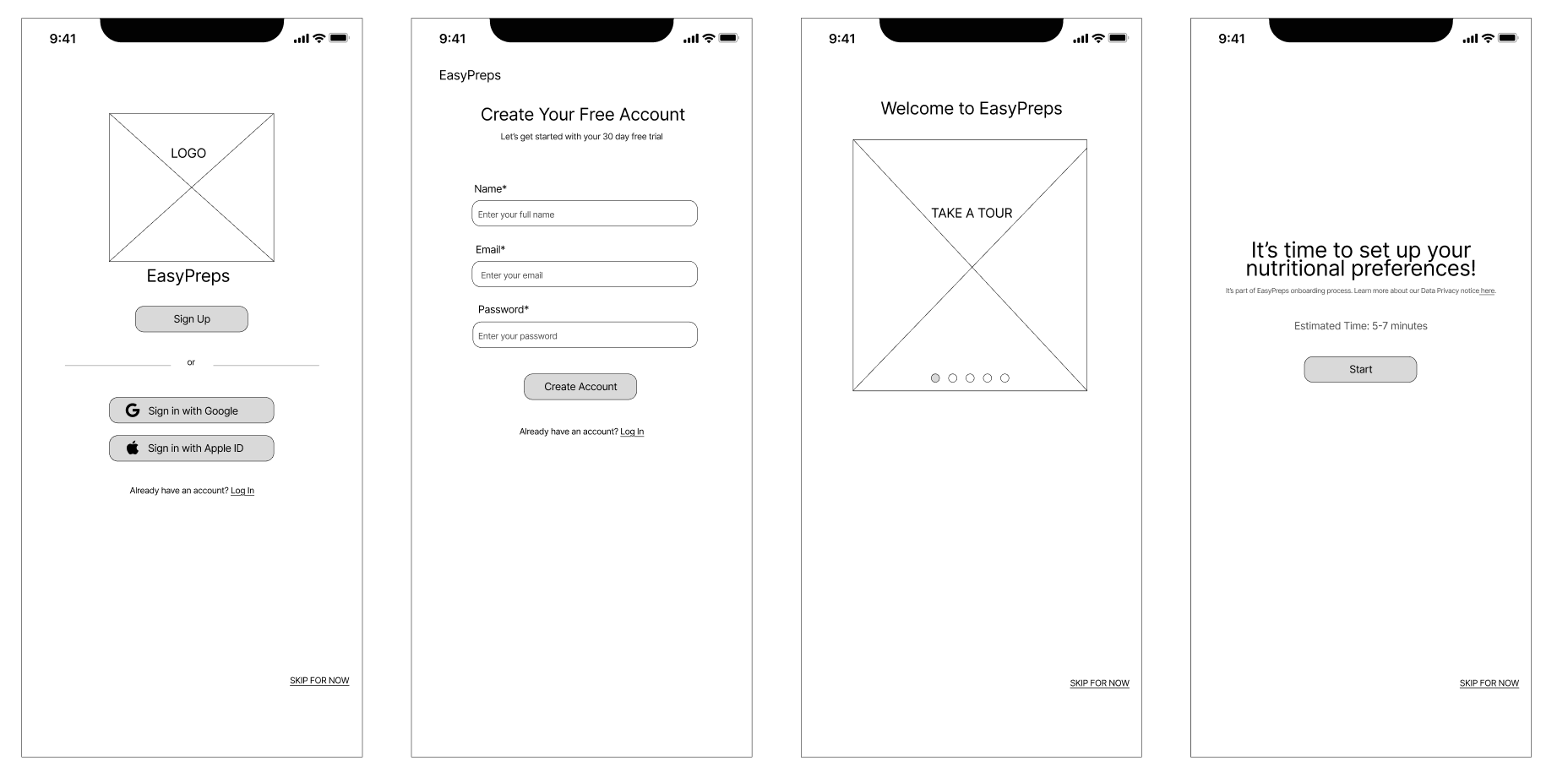
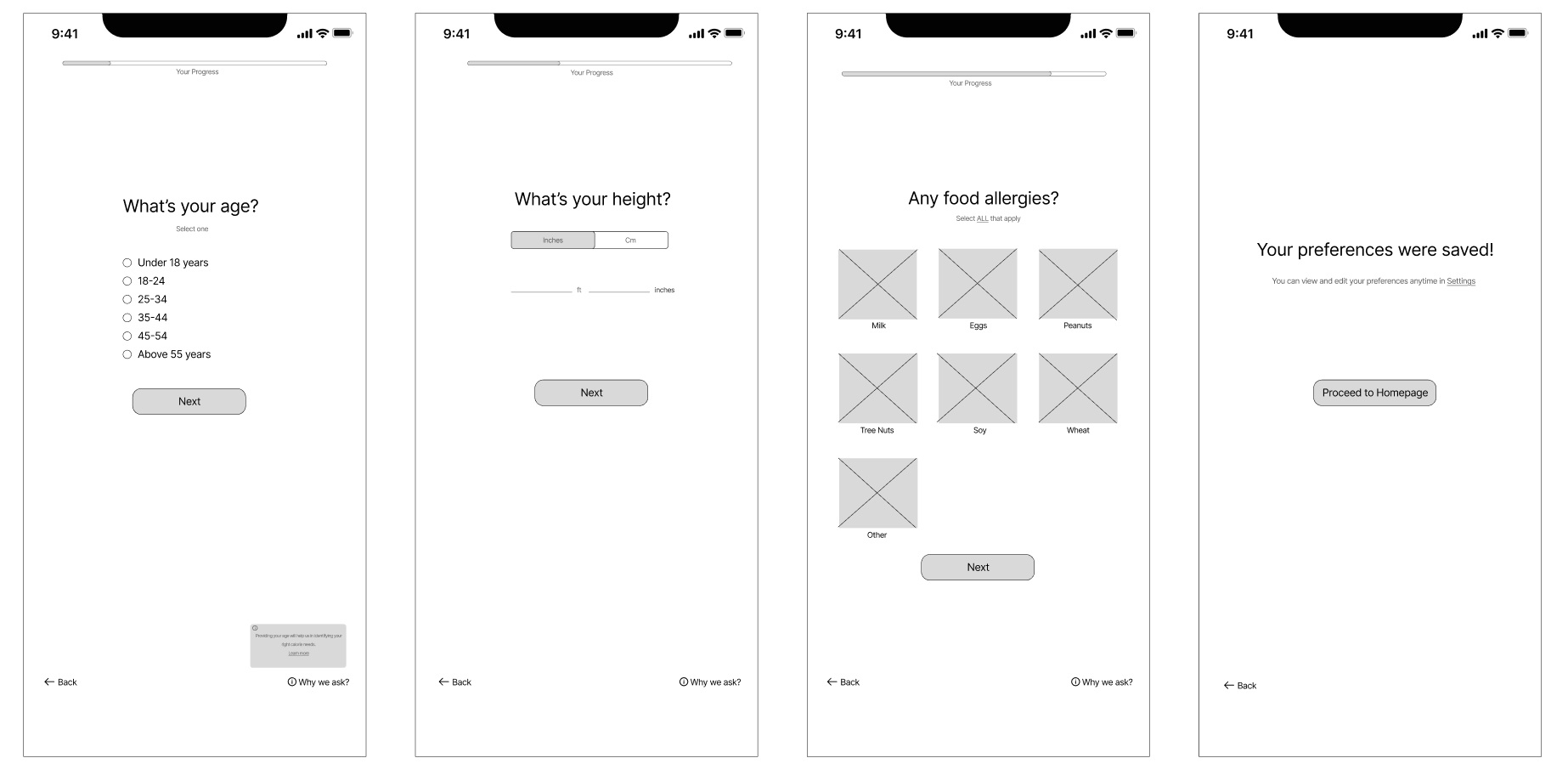
Flow 1 - Login/ Sign Up & Setting Up Nutritional Preferences
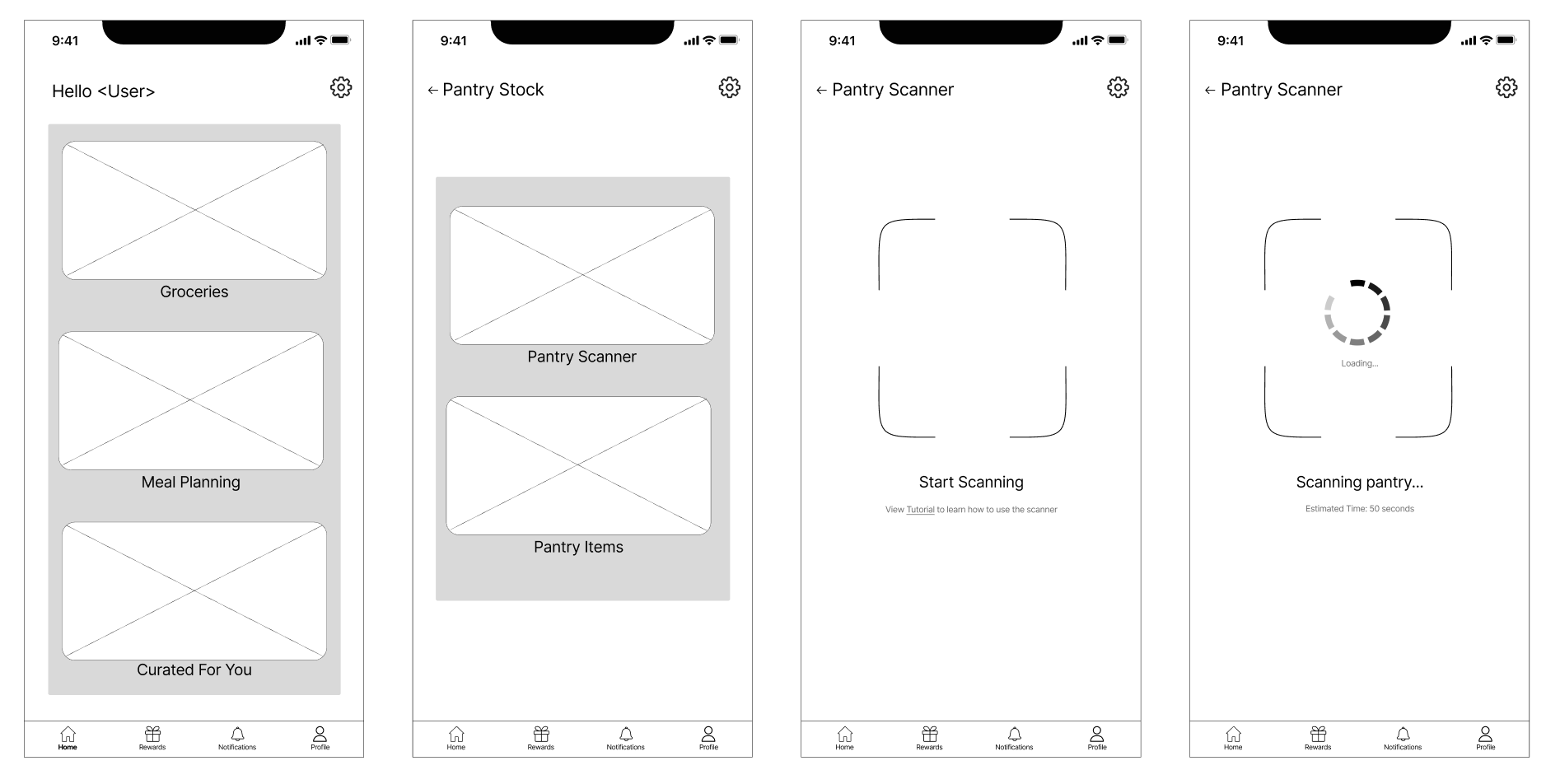
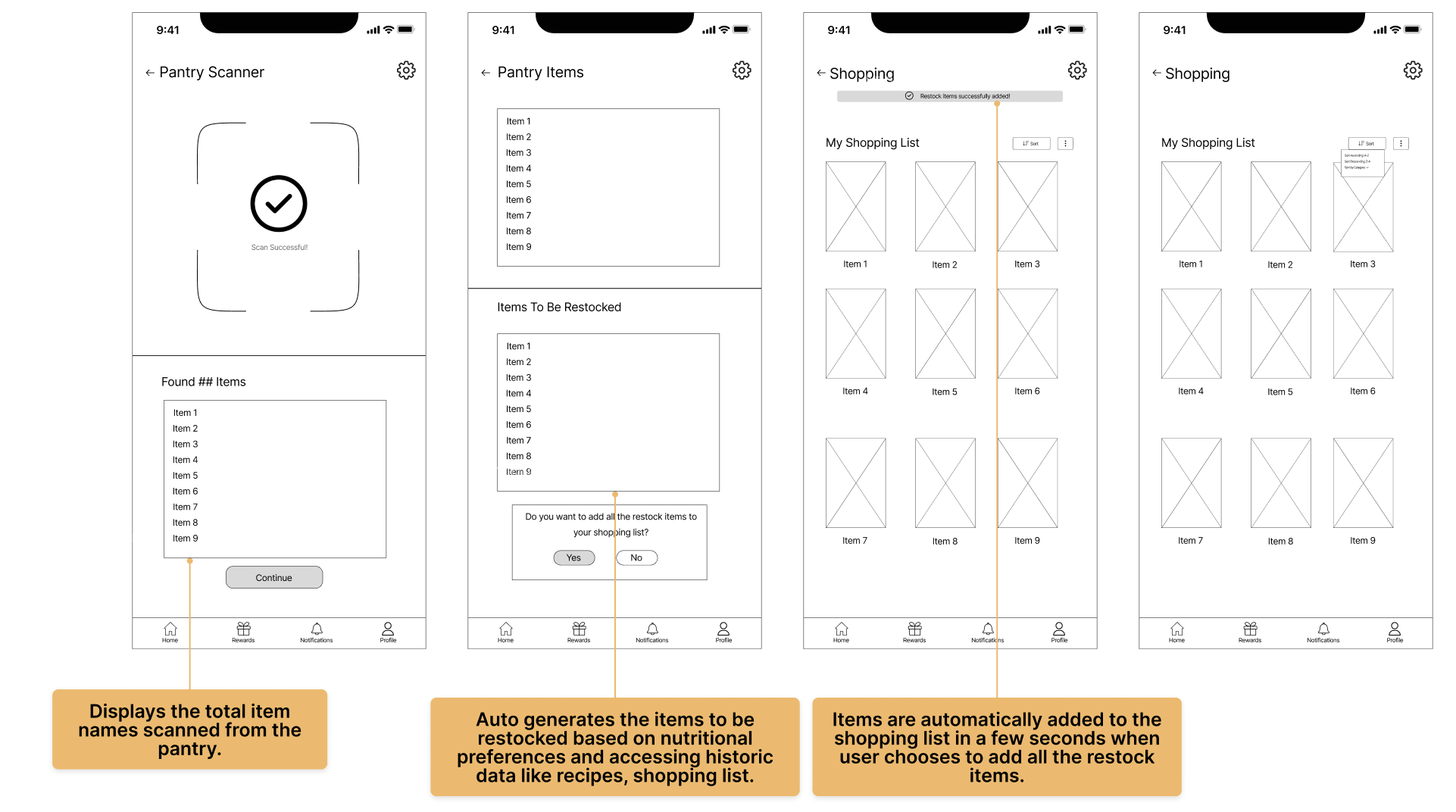
Flow 2- Accessing the Pantry Scanner , Viewing the Item Restock, and the Shopping List
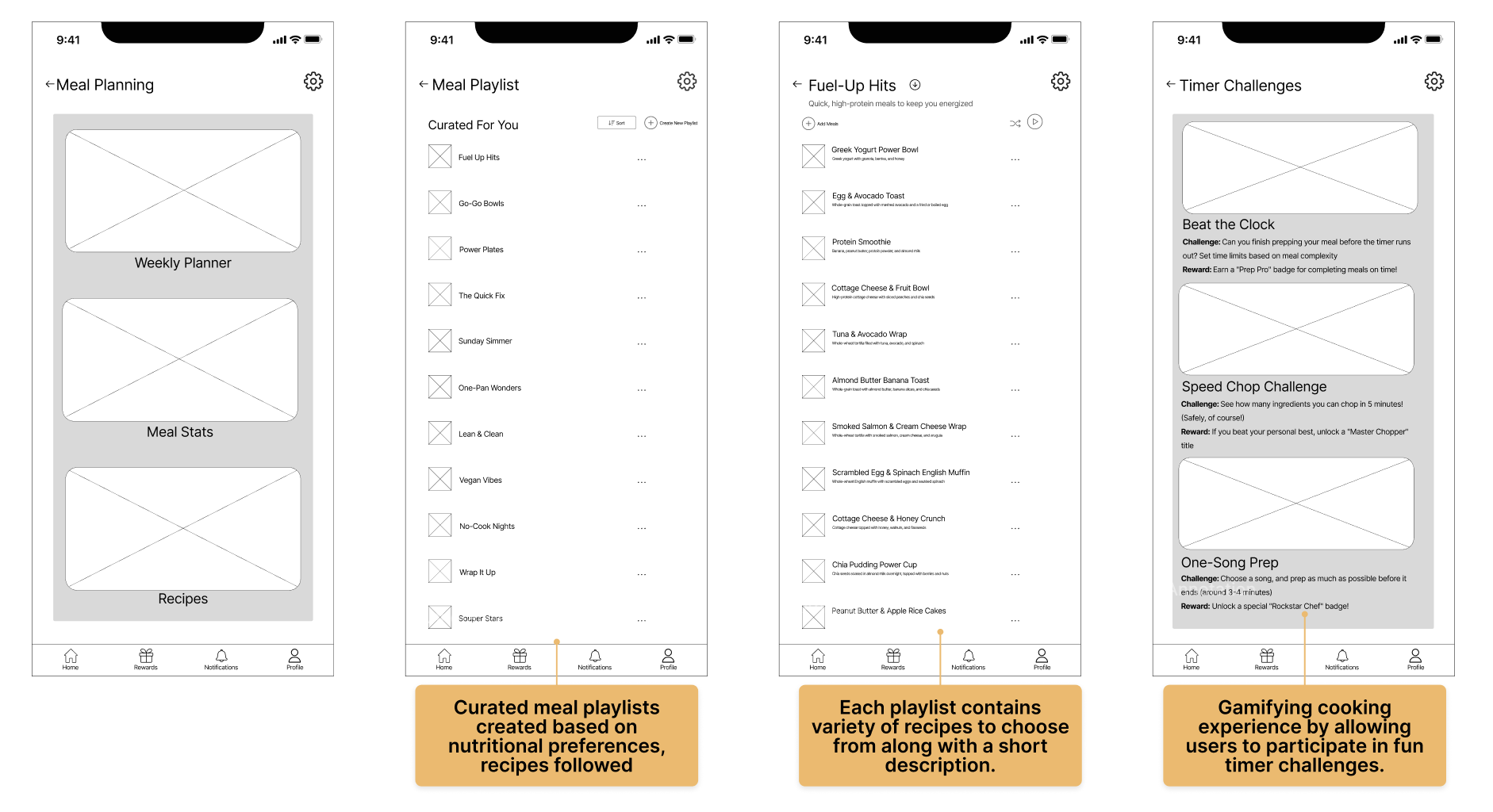
Flow 3- Using PrepOn: Meal Planning, Timer Challenges & AI Meal Playlists to Motivate Meal Prepping
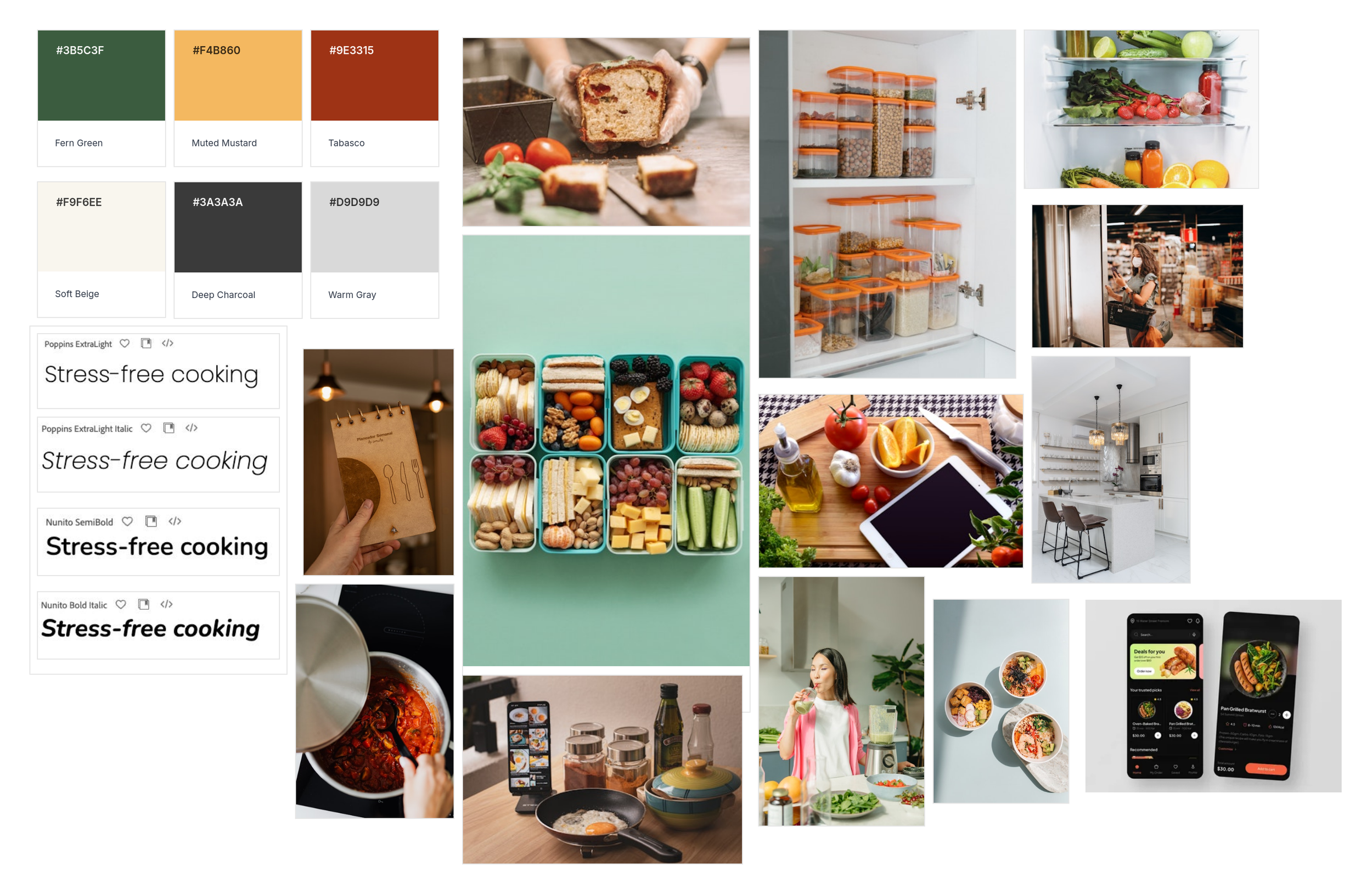
Mood Board & Style Guide
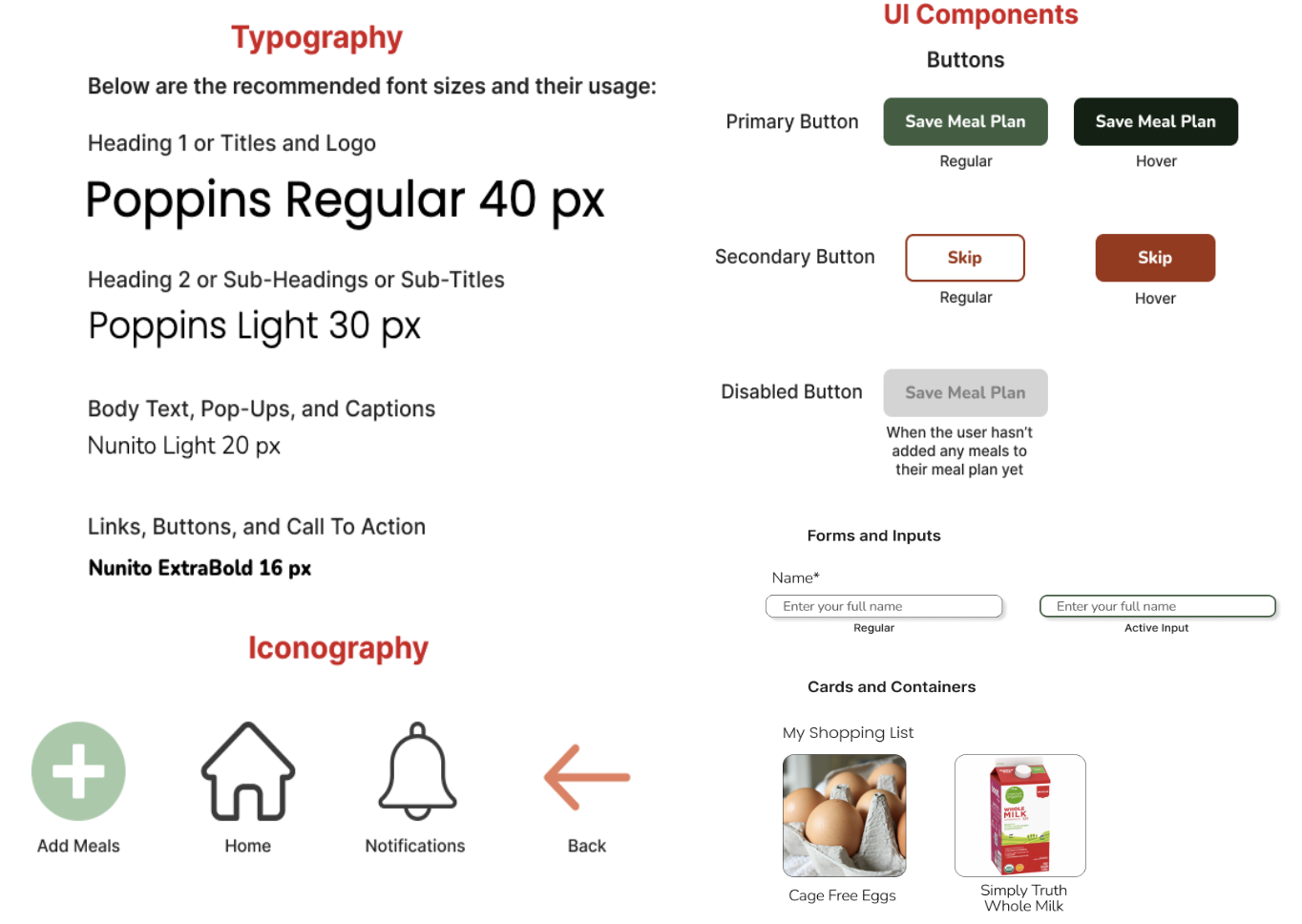
Hi-Fi Prototypes
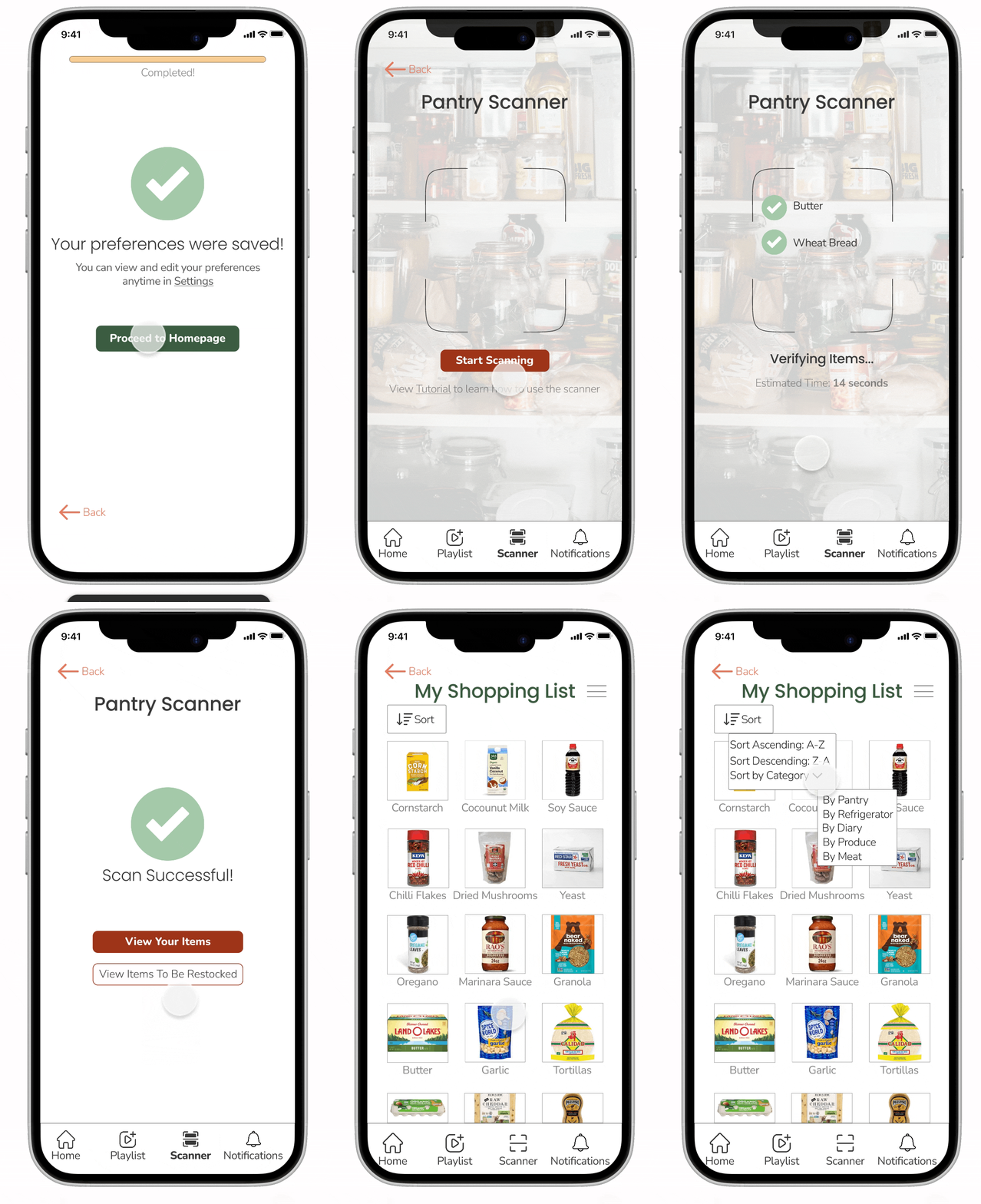
Flow 2- Accessing the Pantry Scanner, Viewing the Item Restock, and the Shopping List
-> Access the scanner feature by placing the phone in front of the pantry.
-> After scanning, users can view scanned pantry items or items to restock—determined by historical data like nutritional preferences, shopping lists, meal plans, and followed recipes.
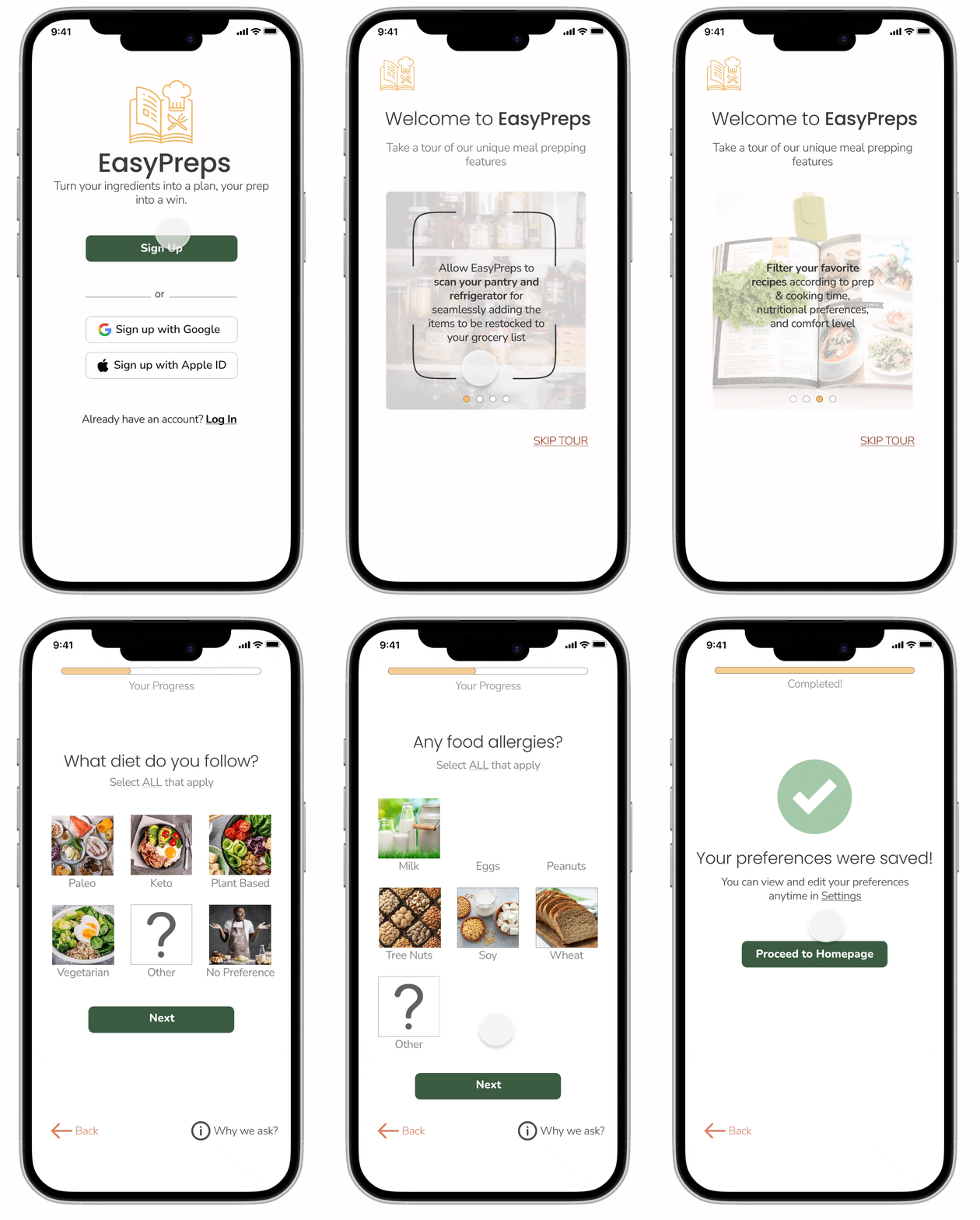
Flow 1 - Login/ Sign Up & Setting Up Nutritional Preferences
-> A quick tutorial of the app to guide users on the most prominent features of EasyPreps.
-> Includes a questionnaire to identify and record users’ nutritional preferences.
Flow 3- Using PrepOn: Meal Planning, Timer Challenges & AI Meal Playlists to Motivate Meal Prepping
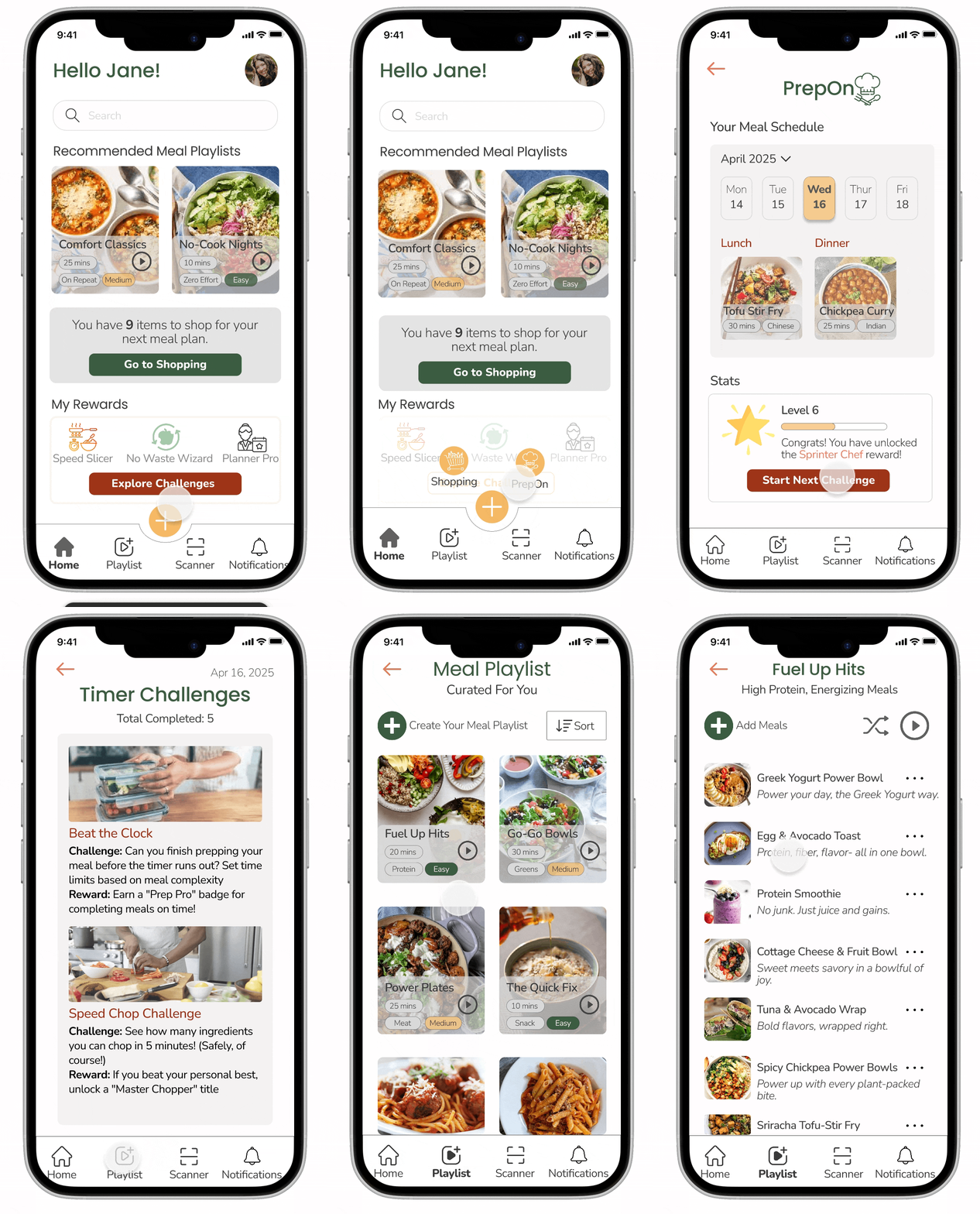
-> PrepOn allows users to view their meal schedules, stats/ rewards, and participate in timer challenges to improve their cooking and meal prepping skills.
-> EasyPreps creates AI meal playlists from user history and behavior, offering personalized meal recommendations with tags for nutritional goal, cook time, and difficulty, ensuring flexibility and variety for users with all cooking levels.
Testing
Round 1
4 Moderated + 1 Unmoderated Users
1 CRITICAL and 1 MINOR issue were uncovered after the first round of testing.
CRITICAL
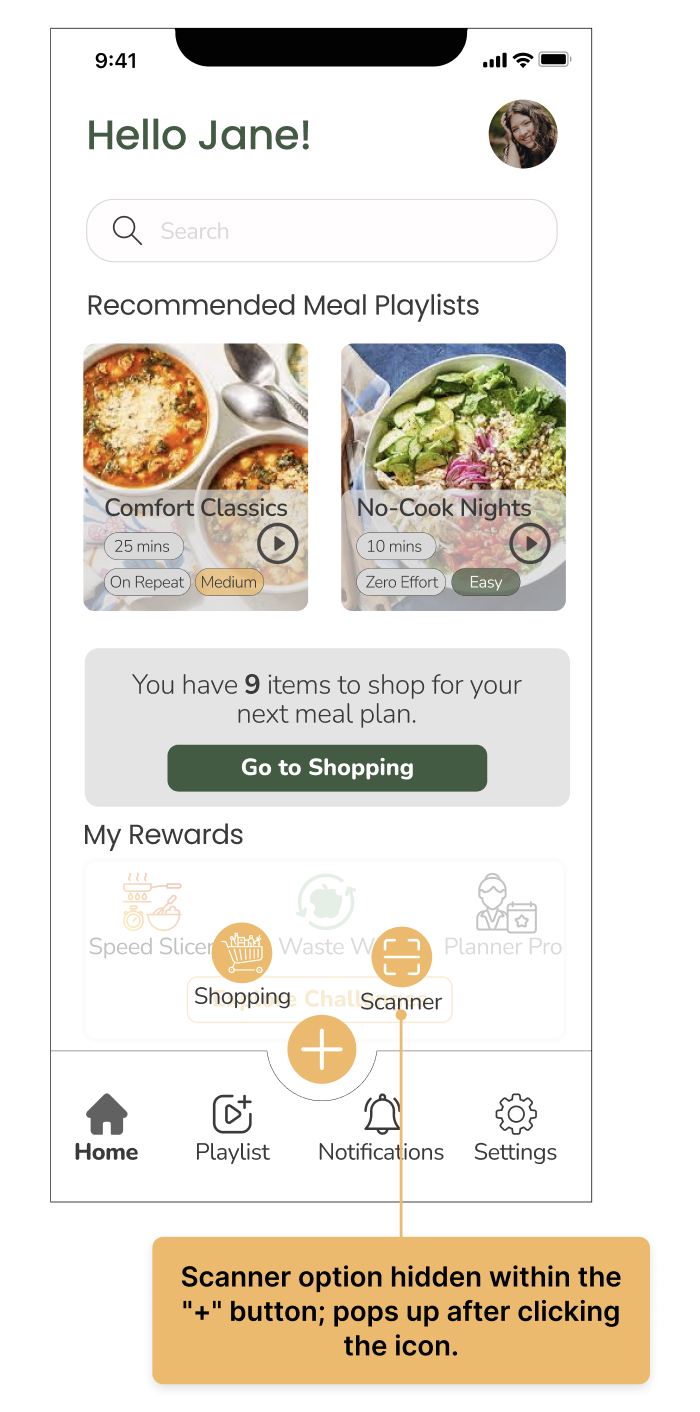
Issue: The Pantry Scanner option took a significant time to be located by ALL the users.
Reason: Buried under the “+” button in the bottom nav; required multiple clicks to access a common feature.
NORMAL
MINOR
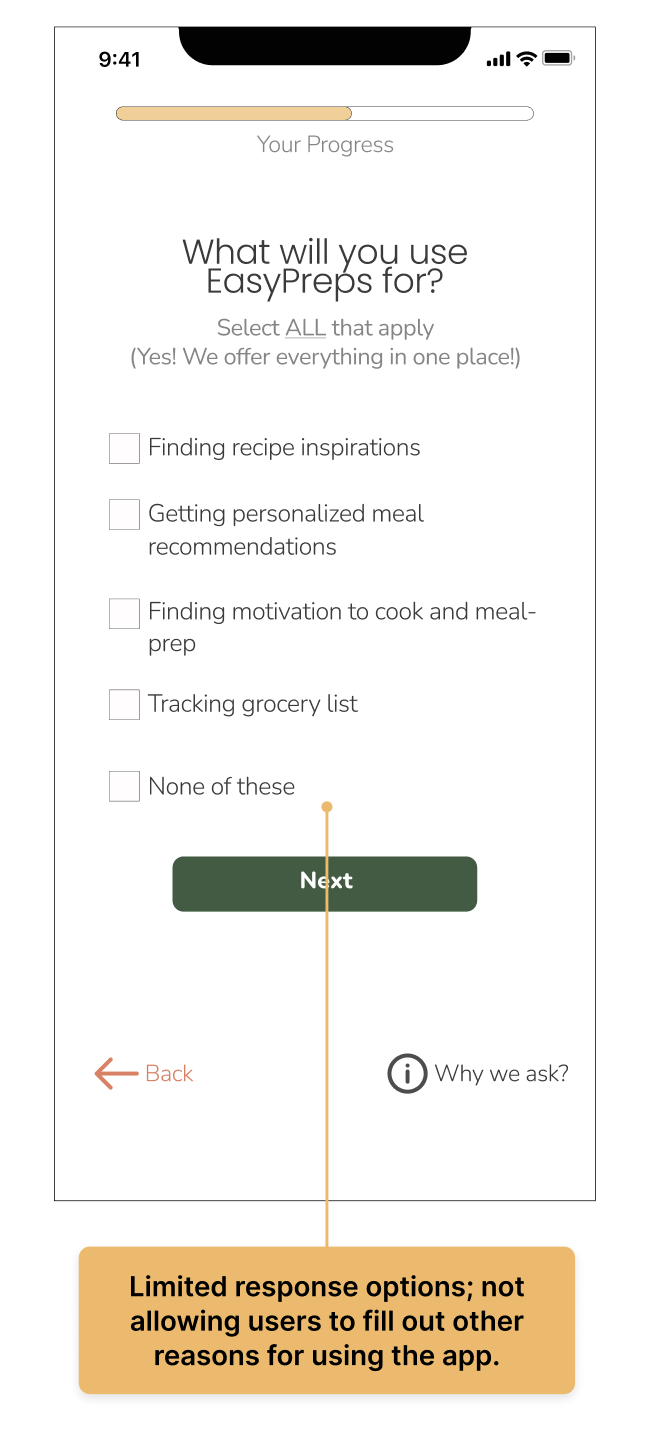
Issue: One user said the onboarding questionnaire has limited response options.
Reason: Question 7 (“What will you use EasyPreps for?”) only had checkboxes with a few choices, so users couldn’t add other reasons or record detailed nutrition preferences.
SOLUTION
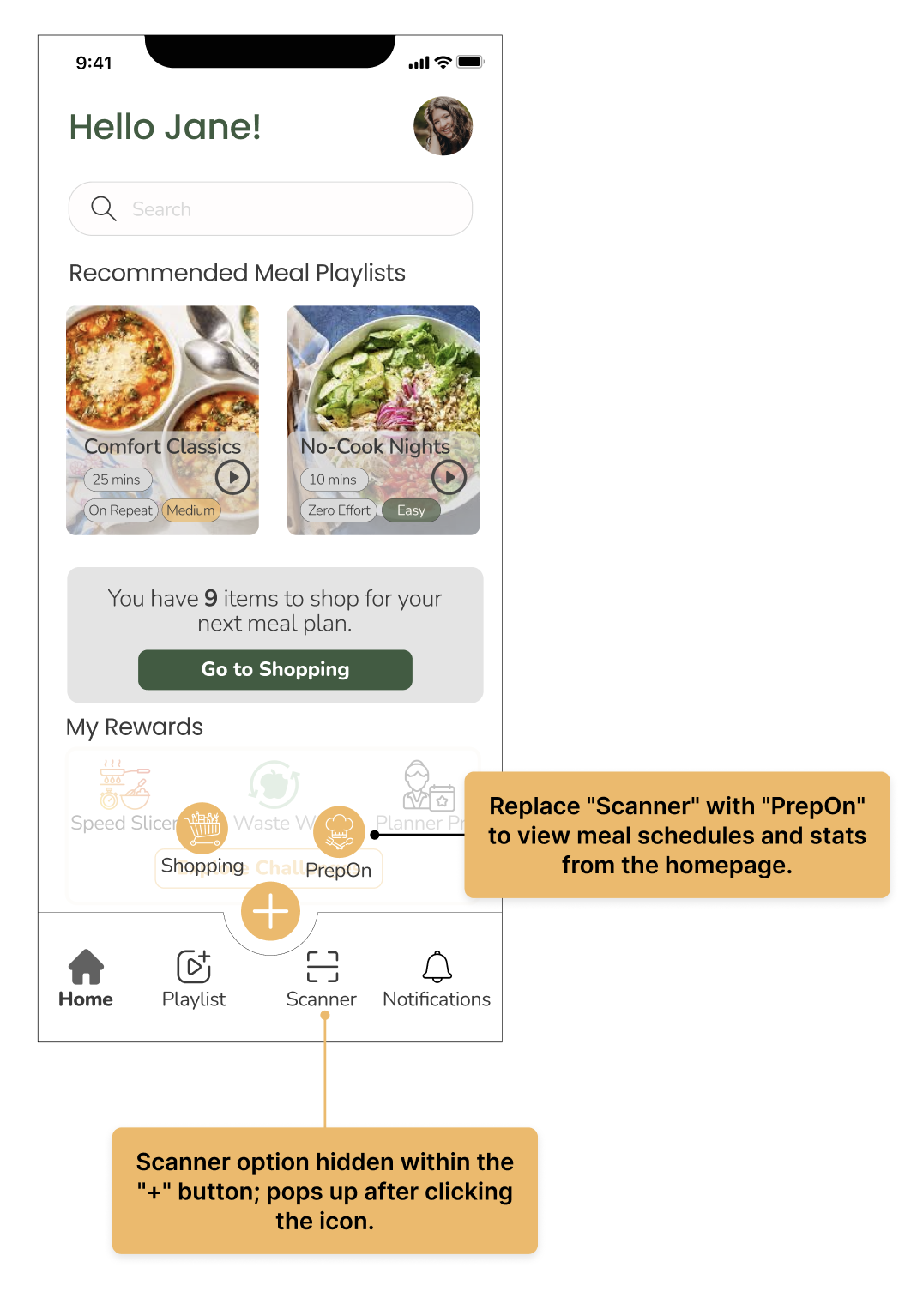
Replace the bottom nav “Settings” with “Scanner” to make the feature more accessible with a single click.
SOLUTION
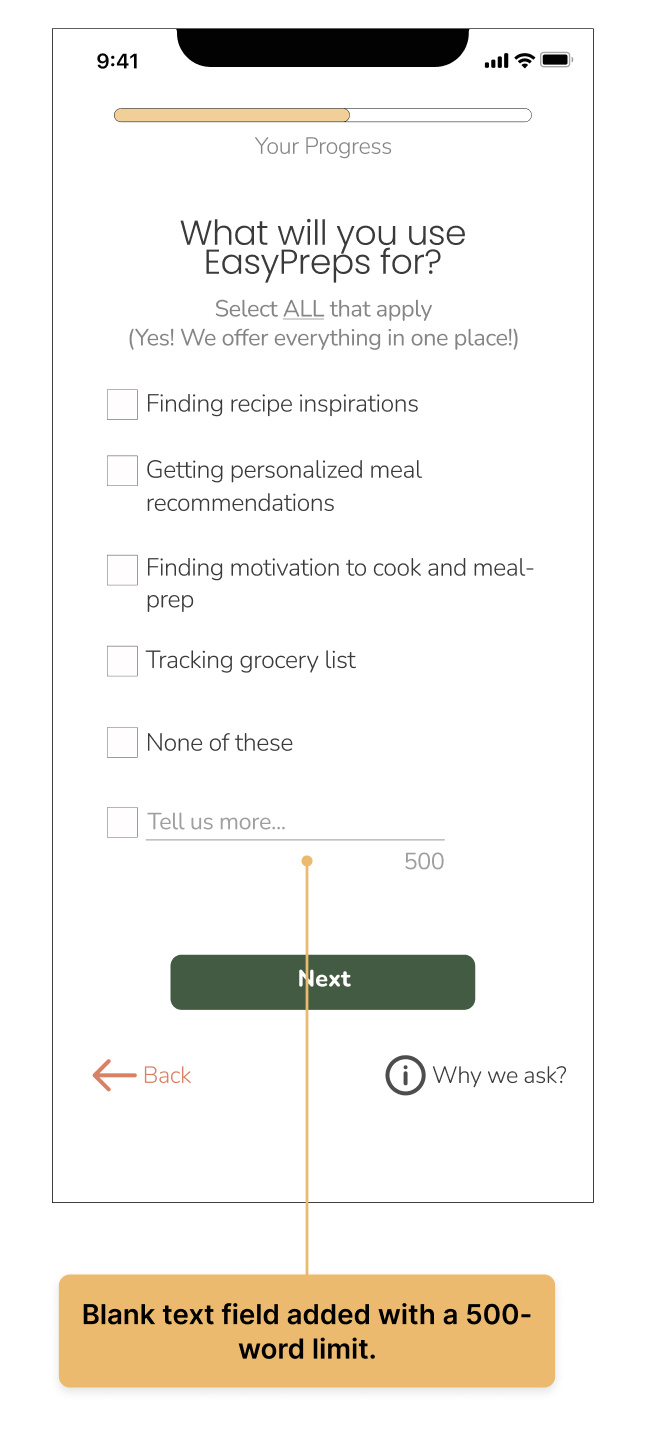
Add a blank text field to provide flexibility.


Round 2 of moderated usability testing involved 4 new users to evaluate the redesigned screens to address the CRITICAL issue.
Result: All 4 participants located the Scanner button immediately without assistance

Next Steps
Prototyping and testing the NORMAL issues that were identified during round 1 of usability testing.
Expand PrepOn: Add more screens for meal playlists and recipe pages, enable timer challenges, and improve meal-schedule personalization.
Continue testing with a more diverse set of users on the newly created prototypes.

Lessons Learned
Meal-prepping is as emotional as practical. Users juggle stress, motivation, and self-care, so I focused on reducing mental load in every flow.
Usability testing showed how hidden or unclear features disrupt trust, leading me to simplify navigation and redesign the Scanner experience.
Iterating from sketches to high-fidelity screens taught me that real clarity comes from designing for both planners and spontaneous cooks, rather than forcing a rigid path.